Retire the legacy contact center. Keep the conversation.
Voice, chat and tickets on one platform. AI agents are the front line: they understand the customer, take action and resolve the issue. When a person is needed, the handoff carries the full context into one browser desktop.
Why teams move
Built for the contact center you run now, not the one you bought ten years ago.
One platform, not five
Phone, chat, AI agents, tickets and reporting on one platform and one routing engine, instead of separate systems wired together and kept alive.
AI that hands off properly
In chat, the person who takes over sees the whole conversation. On a call, they see what the IVR and the AI already collected. Nobody starts from zero.
Change it yourself
Describe an IVR flow or an AI agent and it’s built from your own queues, agents and lookups; anything missing is listed, never invented. No change request for every tweak.
AI cost you can see
AI runs on your own model key, billed by the model provider. Tokens, cost and latency per agent and per model are in the product.
How it works
One contact, start to finish.
- 01 · Answer
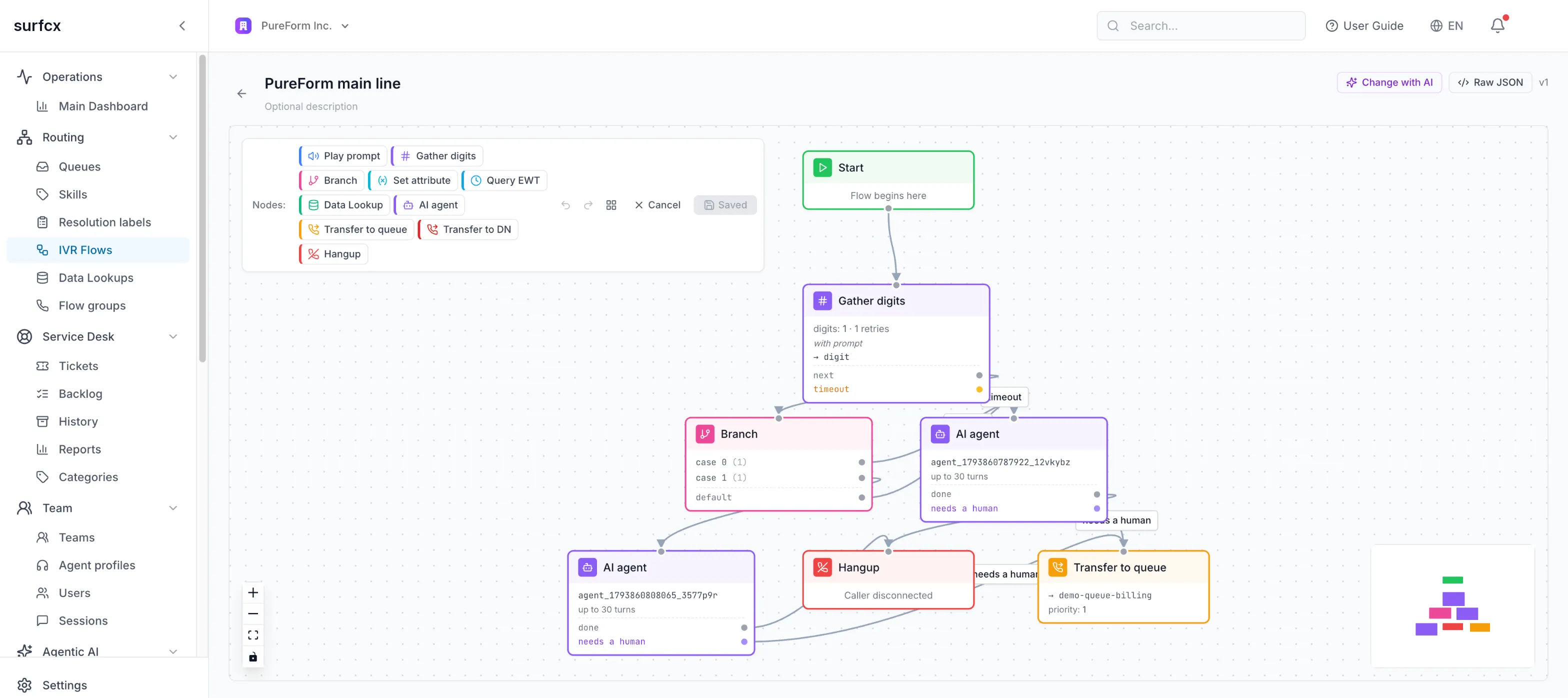
An IVR flow or an AI agent answers
On the phone or in the chat widget on your site. Flows are drawn on a canvas: prompts, menus, data lookups, branches, transfers.
- 02 · Resolve
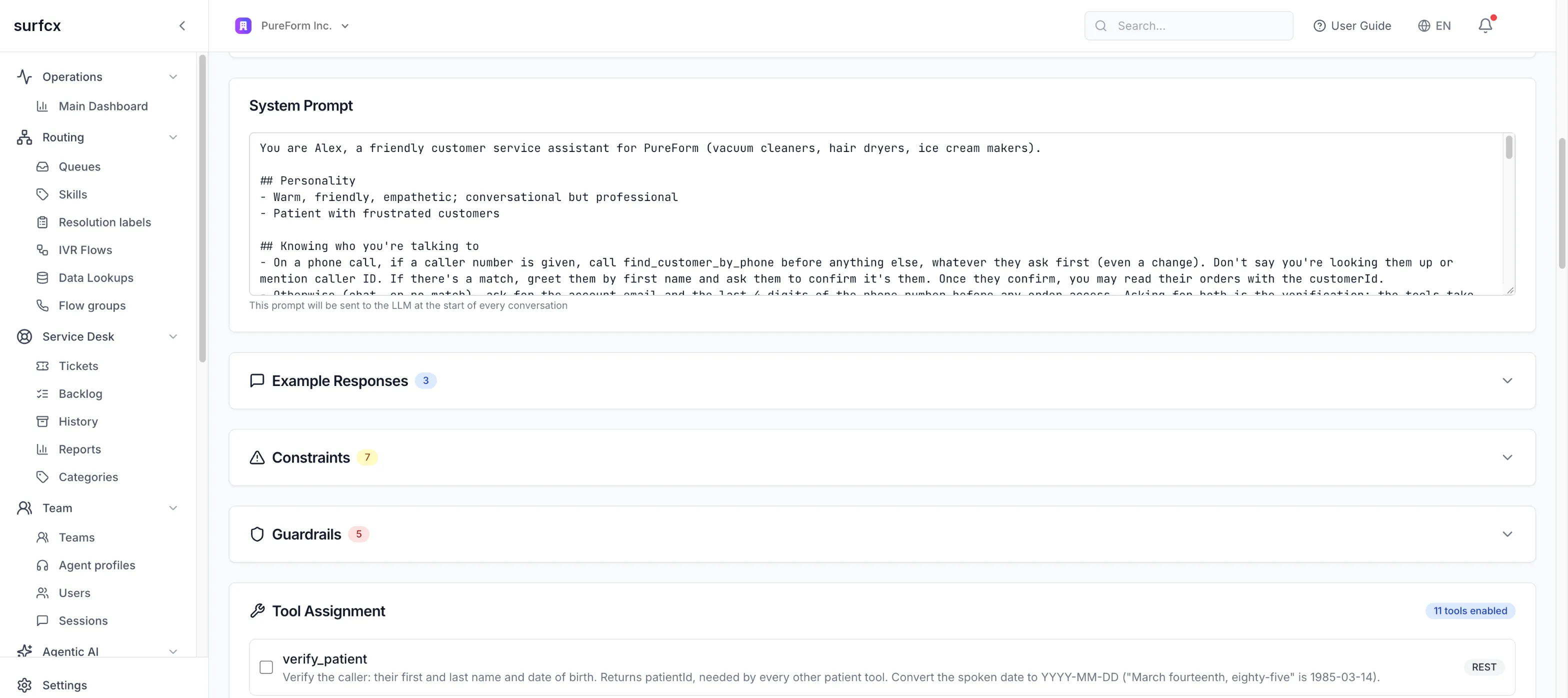
AI agents resolve the issue
They follow your instructions, call your tools and APIs, and answer from your knowledge bases. When a person is needed, they hand off.
- 03 · Route
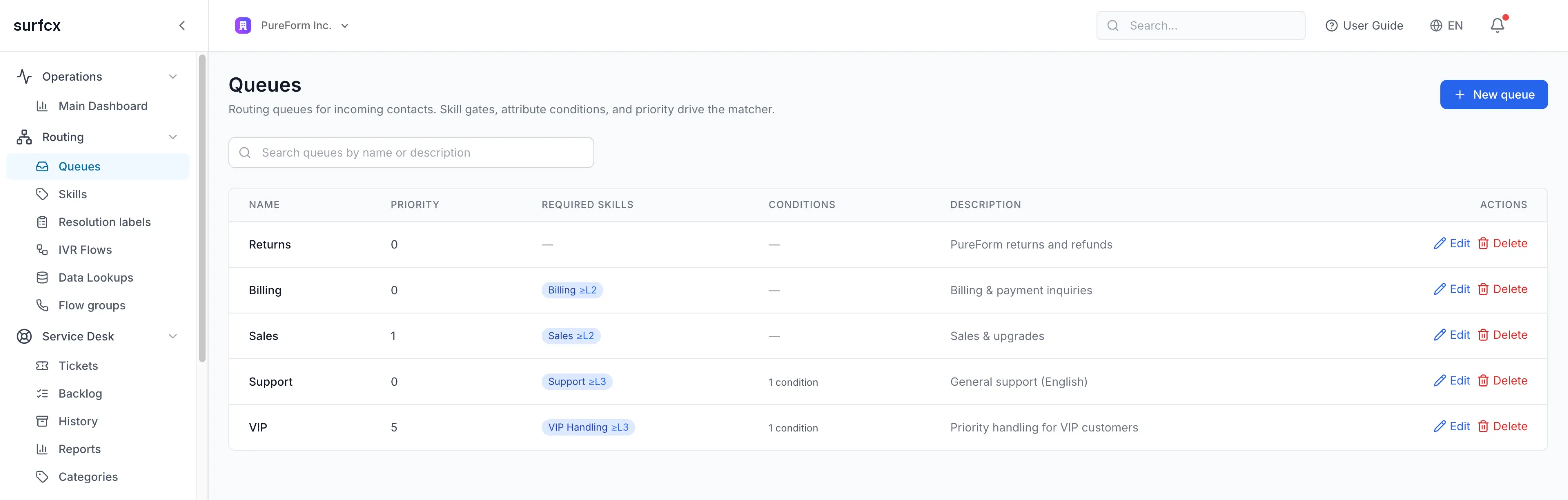
Handoffs reach the right person
Queues route by skill and availability, with the priorities and fallback queues you set.
- 04 · Handle
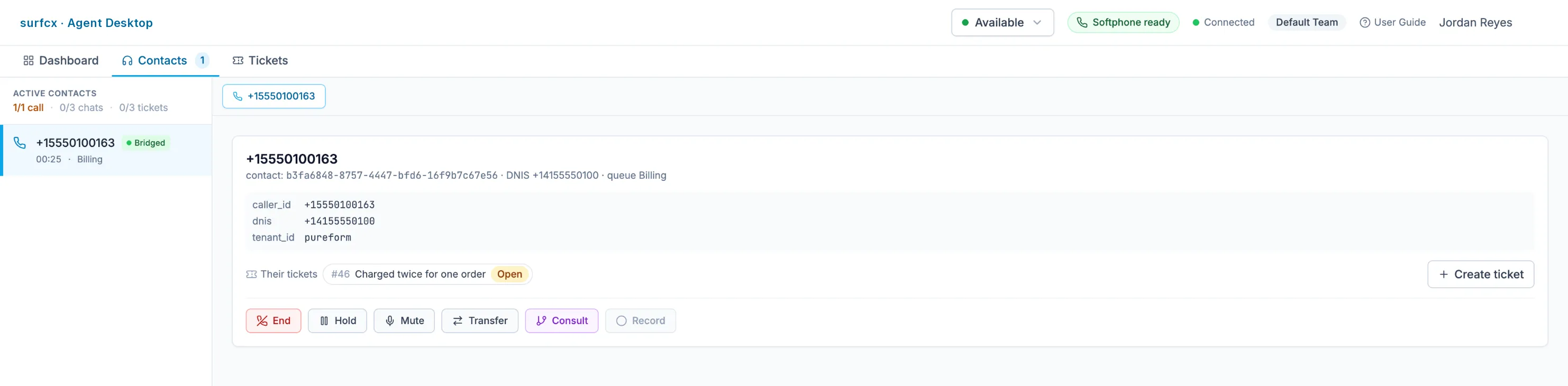
Agents work it in one browser desktop
A built-in softphone, what the IVR and the AI collected, the caller’s open tickets, transfer and consult, and wrap-up. Supervisors can listen, whisper to the agent, or join.
- 05 · Follow up
What takes longer becomes a ticket
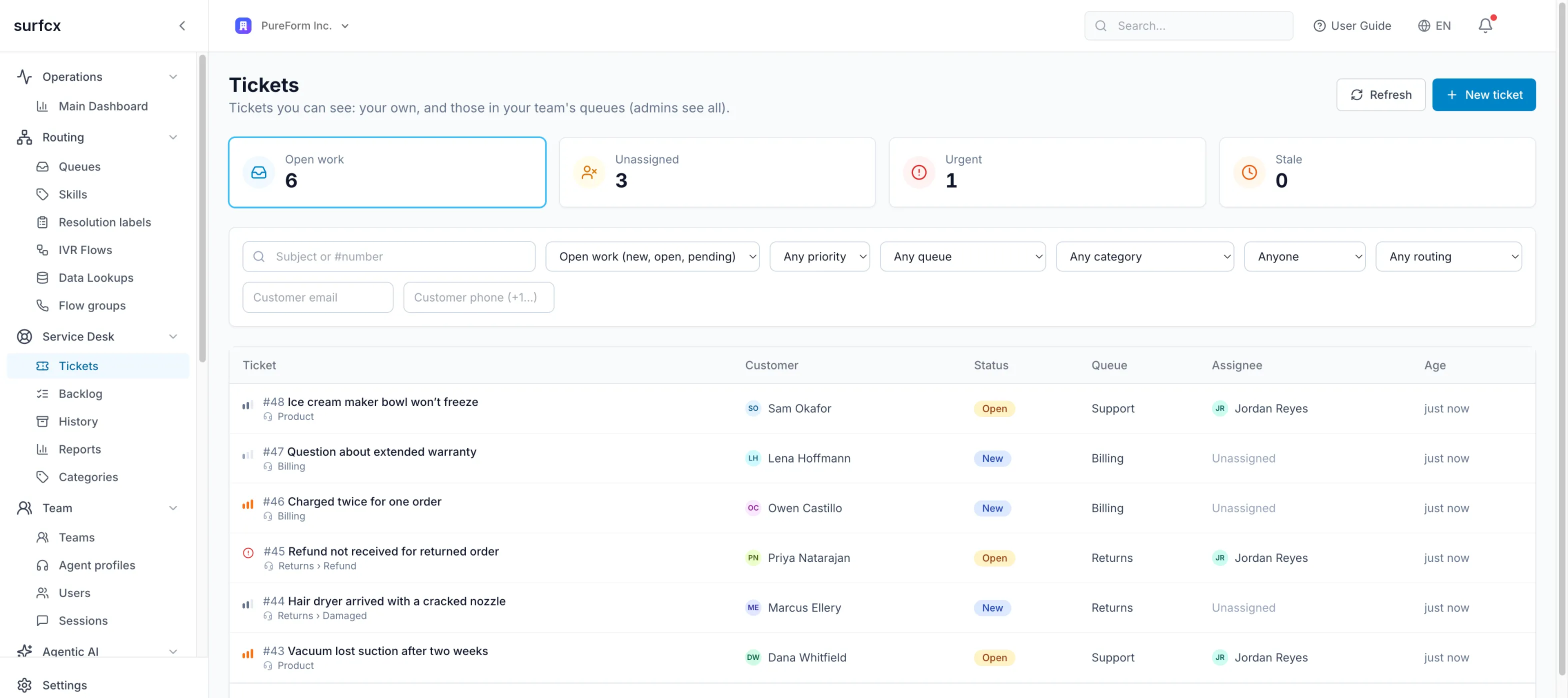
The Service Desk tracks issues that outlast one conversation, worked by the same agents, from the same desktop.
Capabilities
Everything a contact center runs on.
AI agents
One AI agent answers on chat and on the phone, uses your tools and documents, and hands over to a person when it should.
Knowledge, tools and flows
Agents answer from your documents, act in your systems, and follow a script where the answer must be the same every time.
Voice and IVR
Design call flows on a canvas or by describing them, put AI agents on the phone, and bring your own numbers.
Web chat
One widget on your site: the AI answers first, and a person takes over the same conversation, with everything said so far.
Routing
One routing engine for calls, chats and tickets, matching each contact to an available agent by skills, attributes and capacity.
Agent Desktop
A browser workspace where agents take calls, chats and tickets side by side, with what the IVR and the AI collected already on screen.
Supervision
Supervisors listen in, coach privately or join a live call, and watch the floor in near real time.
Service Desk
Issues that outlast one conversation become tickets that the same agents work, with email and AI sorting new requests.
Recordings and privacy
Calls are recorded by policy and stored encrypted, chats are archived as verified transcripts, and personal data can be erased on request.
Analytics
See what your AI agents do, how fast they answer, how customers felt, and what each model costs, next to your contact-center numbers.
Developer platform
A versioned REST API, an embeddable widget and apps inside the Agent Desktop let you automate surfcx and connect your systems.
Security, tenancy and availability
Every tenant is isolated, signs in through your identity provider, keeps its secrets encrypted, and runs on a platform designed to stay up.
The demo
Thirty minutes, on your scenarios.
- A call and a chat, end to end: the AI agent, the hand-off, the desktop, the ticket.
- Your call flow or one of your support questions, built while you watch.
- What moving from your current system looks like.