Features
Everything surfcx does today.
Twelve capabilities on one platform. Each one below is in the product now, not on a slide.
AI agents
One AI agent answers on chat and on the phone, uses your tools and documents, and hands over to a person when it should.
Agent editor
Persona, tone, instructions, example replies and constraints on one page. Changes apply on the next reply.
Build one by describing it
Describe the agent in a sentence; AI drafts the persona, constraints and guardrails for you to review.
Guardrails
Pattern, personal-data and content checks that block, clean up, escalate, warn or log.
Your own model
Runs on your Anthropic, OpenAI or Gemini key, with the model chosen per agent for chat and for voice.
Handover you control
The agent picks a category; you decide which queue each category goes to, so it can’t invent a destination.
Natural on calls
Short spoken cues during slow lookups, check-ins when the caller goes quiet, and a clean goodbye.
Opens tickets
With the Service Desk, the agent can open a ticket and tell the customer its number.
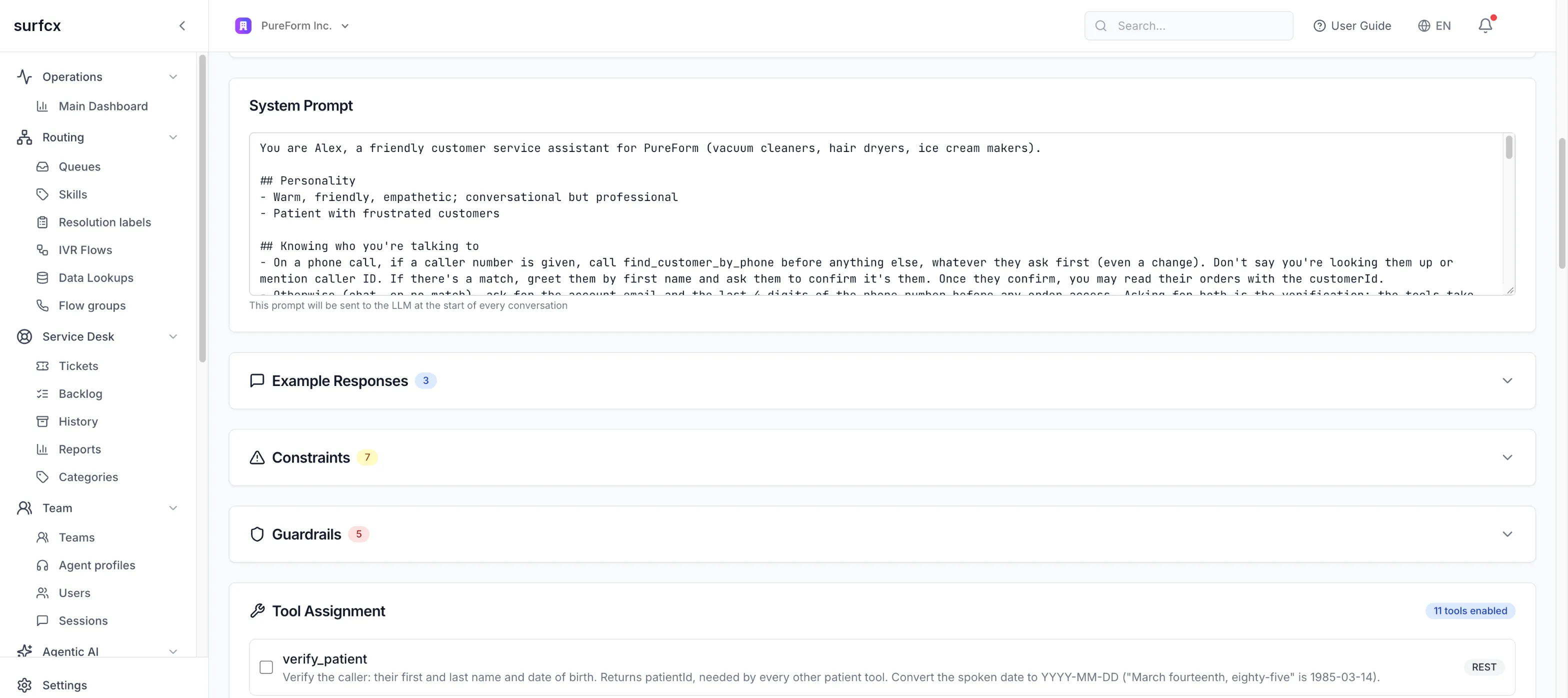
Knowledge, tools and flows
Agents answer from your documents, act in your systems, and follow a script where the answer must be the same every time.
Knowledge bases
Paste text, import a page, or upload PDF, DOCX or TXT; the agent searches them only when it needs to.
Test a search
Type a customer question and see the passages the agent would get, with match scores.
REST tools
Describe an API call once; the agent fills in the inputs. Credentials are encrypted and never shown again.
MCP tools
Import tools from any Model Context Protocol server by its URL.
Ask before acting
The platform makes the agent confirm with the customer before any tool that changes something.
Conversational flows
Step-by-step procedures (ask, check, call a tool, branch, hand over) that run the same on chat and voice.
Generate and test flows
Describe a flow and AI builds it from your own tools; test it in the page with tool calls simulated.
Voice and IVR
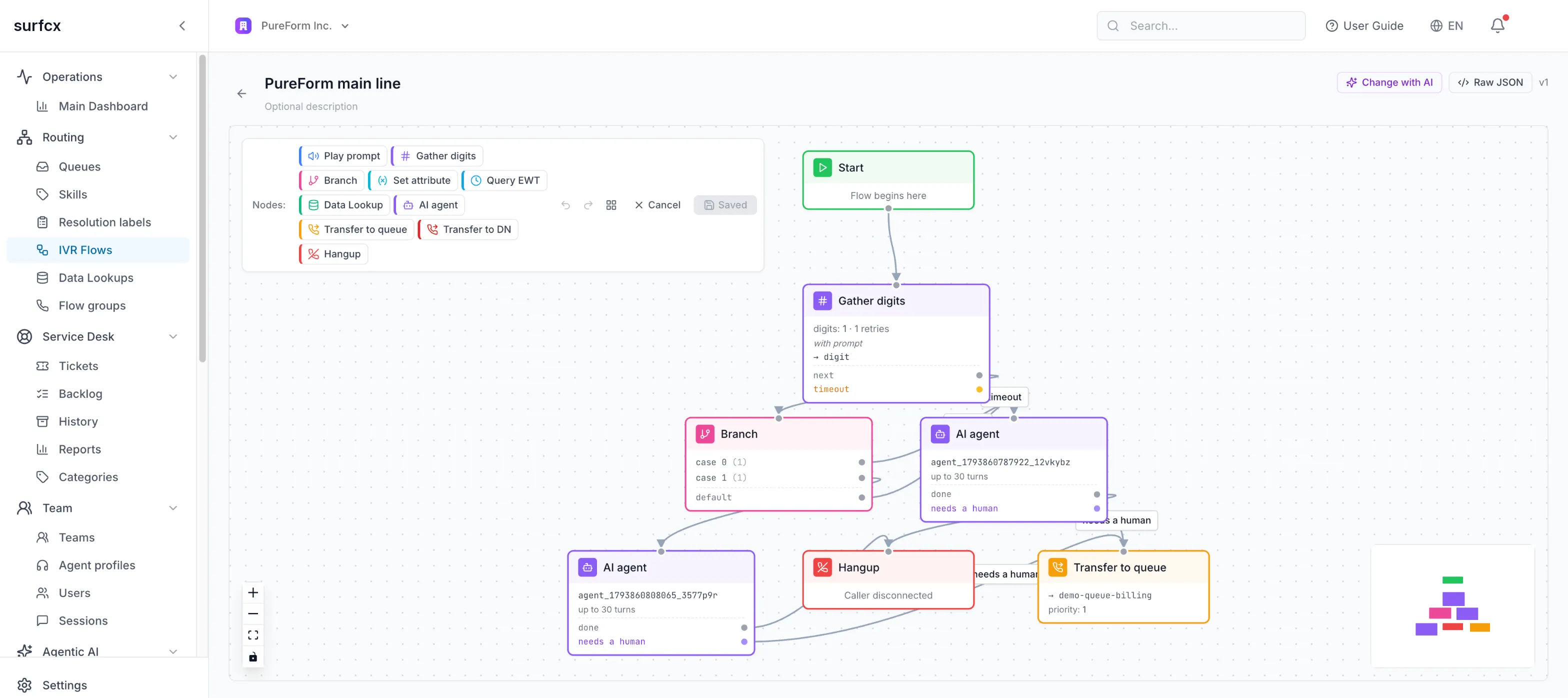
Design call flows on a canvas or by describing them, put AI agents on the phone, and bring your own numbers.
Visual IVR designer
Prompts, keypad and speech input, menus, variables, data lookups, branches, queues, transfers and AI agents.
Generate a flow with AI
Describe the caller’s journey; AI builds or changes the flow from your queues, agents and lookups, and lists anything missing.
Versions
Every save is a version. Numbers follow the latest or stay pinned; restore any earlier one.
Schedules and holidays
Pick a flow by day, date and time window, in the time zone you choose.
Data lookups
Call your own API mid-call and branch on the answer, such as order status or account tier.
Prompts and hold music
Upload or record prompts, or generate them with text-to-speech; music on hold per tenant or queue.
Estimated wait
Read a queue’s expected wait mid-call, tell callers, or send them another way when it’s long.
Your carrier, your numbers
Keep your carrier and numbers and connect them over SIP; surfcx runs the telephony layer, and agents answer in the browser.
Web chat
One widget on your site: the AI answers first, and a person takes over the same conversation, with everything said so far.
One script tag
Or a React component or a JavaScript API. Themeable, with or without an AI agent.
The same conversation
When a person takes over, the visitor stays in the same chat and the agent sees the whole history.
Ask for a person
Visitors can ask for a human at any time.
Who the visitor is
Your page can pass name, email, phone and custom fields, shown to the agent as unverified.
Waiting and typing
An estimated wait while queued, and typing indicators on both sides.
Survives a reload
Reloads and dropped connections rejoin without losing anything; silent visitors time out cleanly.
Call from the page
Add a call button: the visitor talks to you from the browser, through the same IVR and queues as a phone call.
Keys bound to your site
Widget keys only work from the sites you list.
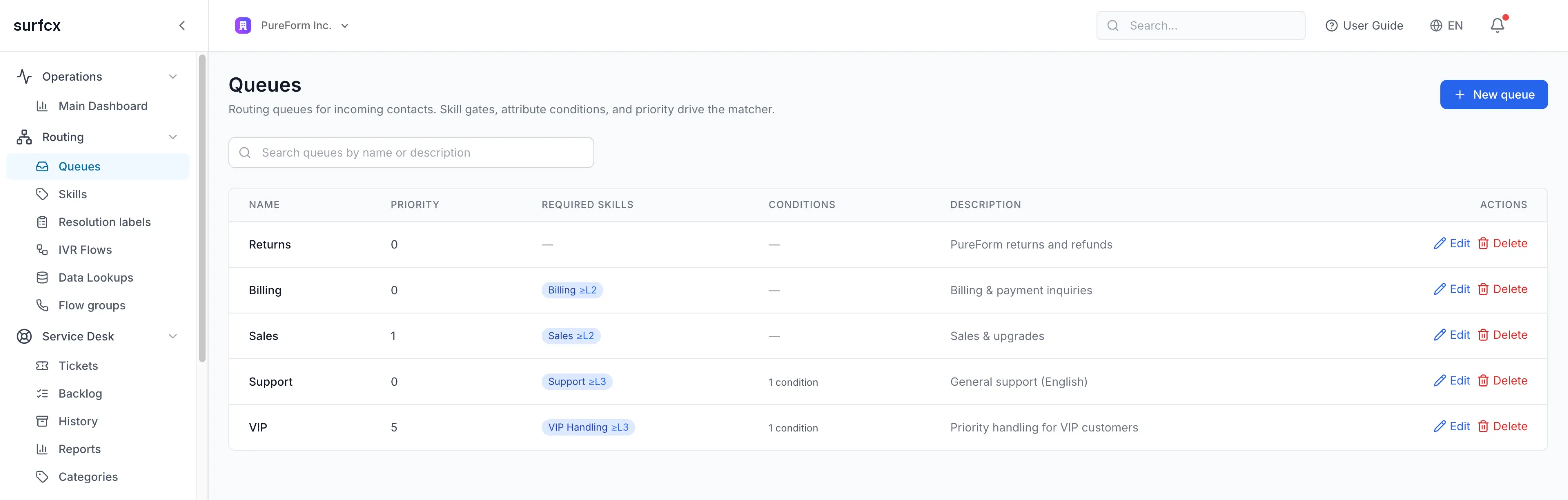
Routing
One routing engine for calls, chats and tickets, matching each contact to an available agent by skills, attributes and capacity.
Skills and proficiency
Queues ask for skills at a minimum level; agents carry skill levels through profiles.
Attribute matching
Route on what you know: language, tier, region, with string, number and yes/no rules.
Priorities and overflow
Longest-available matching, contact and queue priority, and a fallback queue.
Capacity per channel
An agent holds one call, several chats and several tickets at once, as you set.
Profiles through teams
Agents get their profile from themselves, their team or the tenant default.
Accept or auto-connect
Offers with a countdown, or connect agents straight away.
Whisper on connect
A short announcement only the agent hears before the caller joins.
Agent Desktop
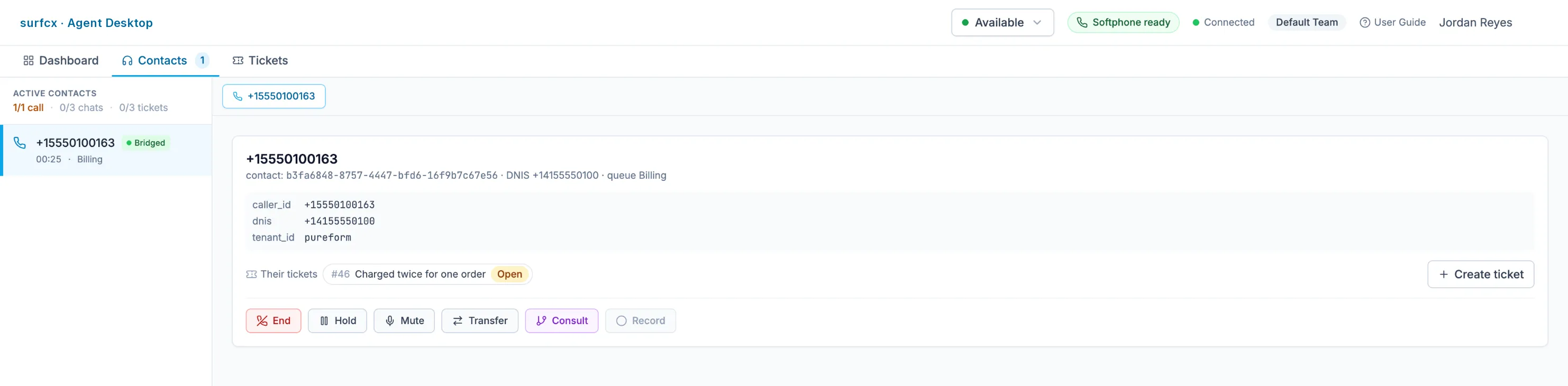
A browser workspace where agents take calls, chats and tickets side by side, with what the IVR and the AI collected already on screen.
Presence and offers
Available or away with reasons; offers for calls, chats and tickets.
Browser softphone
Calls in the browser. No desk phone.
In-call controls
Hold with music, mute, pause and resume recording, end.
Transfer and consult
Blind or consult transfer to another agent or an outside number.
Several chats at once
Tabs with unread badges, the AI’s transcript and the visitor’s details.
The caller’s context
What the IVR and the AI collected, and the customer’s open tickets, on the call card.
Wrap-up
Resolution labels and notes in a timed wrap-up window.
English, Spanish and French
Agents pick their language from the top bar. The Admin UI and the chat widget come in all three too.
Supervision
Supervisors listen in, coach privately or join a live call, and watch the floor in near real time.
Monitor, whisper, barge
Listen silently, coach the agent only, or join the call; switch modes at any time.
Several supervisors
More than one supervisor can be on a call, and every action is audited.
Operational reports
Active contacts, agent metrics, queue depth, abandons, wrap-up and top dispositions.
Ticket backlog
Open work per queue by status and age, refreshed every minute.
Service Desk
Issues that outlast one conversation become tickets that the same agents work, with email and AI sorting new requests.
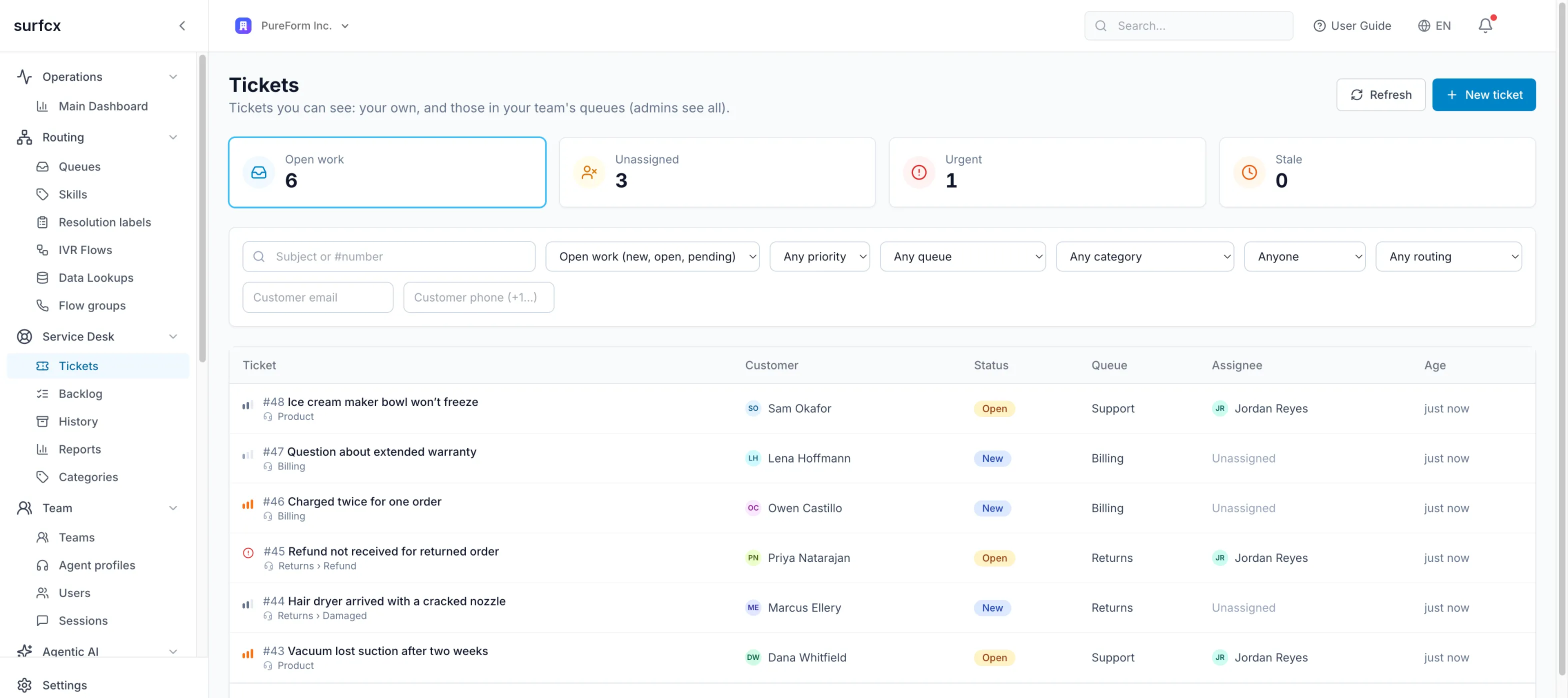
Tickets
Status, priority, escalation, two-level categories, internal notes and a full timeline.
From any conversation
Create or link a ticket from a call or chat; the customer’s tickets show on the card.
Routed like everything else
Tickets are offered to agents alongside calls and chats, by priority, and reopen to the same agent.
Email in and out
Replies go out by email and thread back; your support address opens tickets.
AI triage
AI suggests category, queue, priority and duplicates, applies them above a confidence you set, and can be undone.
Links and merge
Related, parent and child, and blocking links; merge duplicates.
Ticket reports
Volumes, first-response and resolution times, reopen rate, by queue, category, source and agent.
Retention and erasure
Closed tickets archived on a schedule; erase a customer’s data with a record that it was done.
Recordings and privacy
Calls are recorded by policy and stored encrypted, chats are archived as verified transcripts, and personal data can be erased on request.
Recording policy
A tenant default with always, never or inherit per queue, a maximum length and retention.
Pause for sensitive moments
Agents pause and resume recording during a call.
Encrypted storage
Recordings stored encrypted and played back through short-lived links.
Card and SSN redaction
Card numbers and US Social Security numbers in chat are replaced before anything is stored.
Chat transcripts
Archived, read back and verified before the working copies are deleted; retention you set.
Erasure on request
Erase all of a person’s chats with a reason, a preview and a receipt.
Analytics
See what your AI agents do, how fast they answer, how customers felt, and what each model costs, next to your contact-center numbers.
AI dashboard
Sessions, messages, response time and recent guardrail events at a glance.
Historical analytics
Conversations, tools, safety, agents and performance, filtered by agent, model and channel.
Cost per model
Tokens and estimated cost per agent, model and channel.
Compare models
Latency, tokens and cost per 1,000 turns for each model you use.
Sentiment and paths
How each conversation felt, and how each turn was answered: directly, from knowledge, by a tool, a flow or a handover.
Session explorer
Every AI conversation with its timeline and usage.
Developer platform
A versioned REST API, an embeddable widget and apps inside the Agent Desktop let you automate surfcx and connect your systems.
REST API
One versioned API with consistent envelopes, pagination and rate limits.
API reference
An OpenAPI 3.1 reference you can try requests from.
AI conversations from your server
Start sessions and send messages to an AI agent from your own code.
Tickets API
Tickets, customers, reports and erasure, over the same API.
Desktop apps
Sandboxed apps in the Agent Desktop react to contacts: pop a CRM record, post wrap-up notes.
Security, tenancy and availability
Every tenant is isolated, signs in through your identity provider, keeps its secrets encrypted, and runs on a platform designed to stay up.
Tenant isolation
Isolation enforced in the database, the cache and the storage keys, not only in the app.
Single sign-on
SAML or OpenID Connect SSO with Okta, Microsoft Entra ID, Google Workspace or any other identity provider.
Strong sign-in
Multi-factor authentication, passkeys, and Google or Microsoft sign-in, as your policy requires.
Roles
User, admin and platform-admin roles, with members kept in sync with your organization.
Secrets encrypted
Provider, model, tool and app credentials encrypted and write-only.
API and widget keys
Revocable, expiring API keys; widget keys bound to your sites.
Audit log
An append-only record of who changed what.
Feature controls
Turn capabilities on per tenant, enforced in the UI, the API and at runtime.
Designed to stay up
Stateless services that scale out and restart on their own, routing state kept in a shared store, and chats and agent sessions that rejoin after a dropped connection.
Coming next
On the roadmap
Not in the product yet, and not claimed anywhere above.
- Salesforce and ServiceNow integrations
- Workforce management (WFM) integrations
- AI-first quality management: every conversation scored, not a sample
- An outbound dialer
- SMS, WhatsApp and Facebook Messenger